Platform · Data pipelines
Every system, one clean set of data.
Connect your ERP, accounting, CRM, files and databases. Visual pipelines join, clean and check the data on a schedule, so every report starts from numbers you can trust.
Every report starts with a week of copying, cleaning and reconciling, so the numbers are old before anyone reads them.
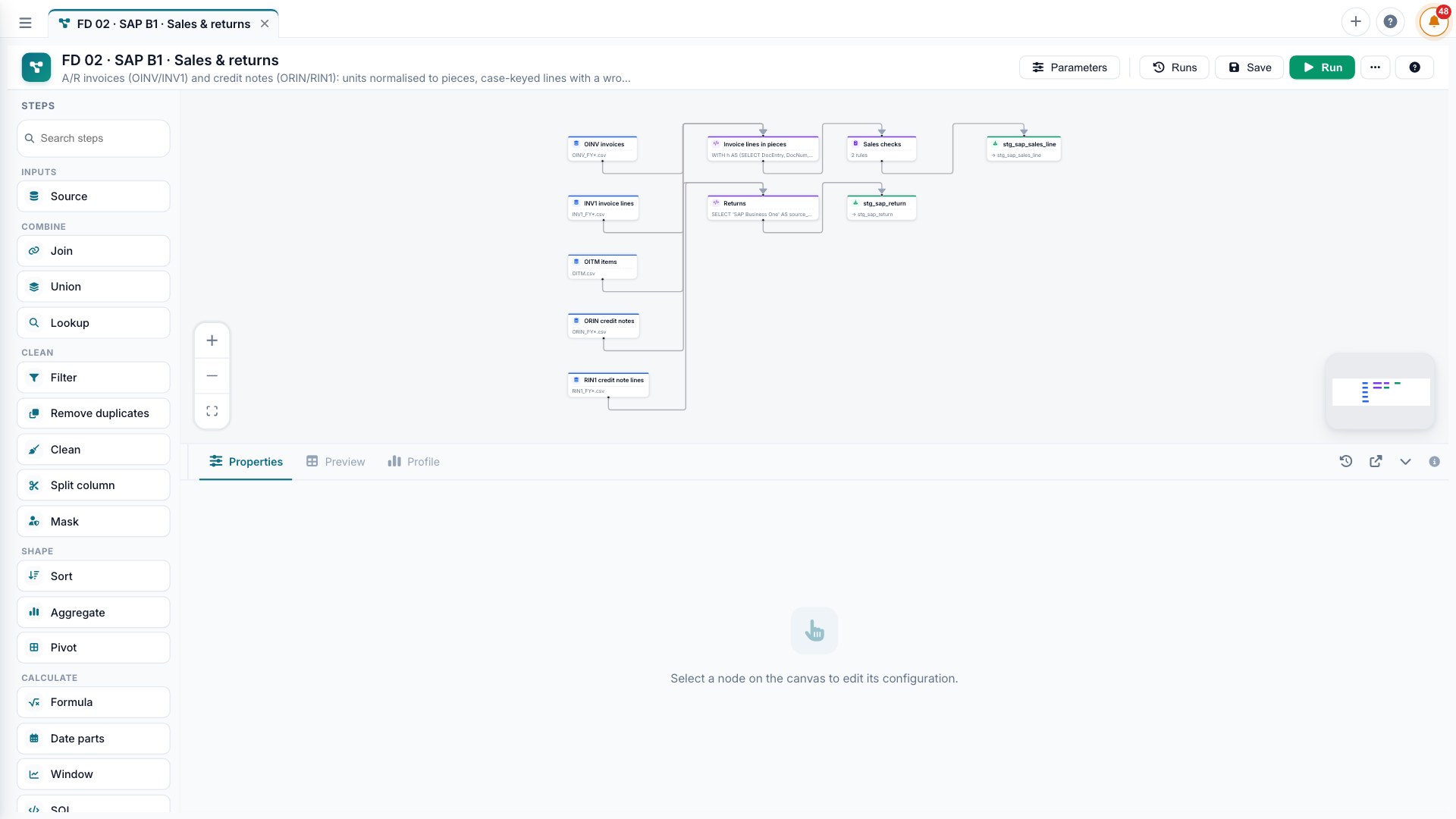
Visual pipelines that connect any database, ERP, file or API, clean and check the data, and refresh on a schedule.
Numbers are ready when people arrive, and a failed refresh tells you before a wrong report does.
Connects to
Your systems, as they are.
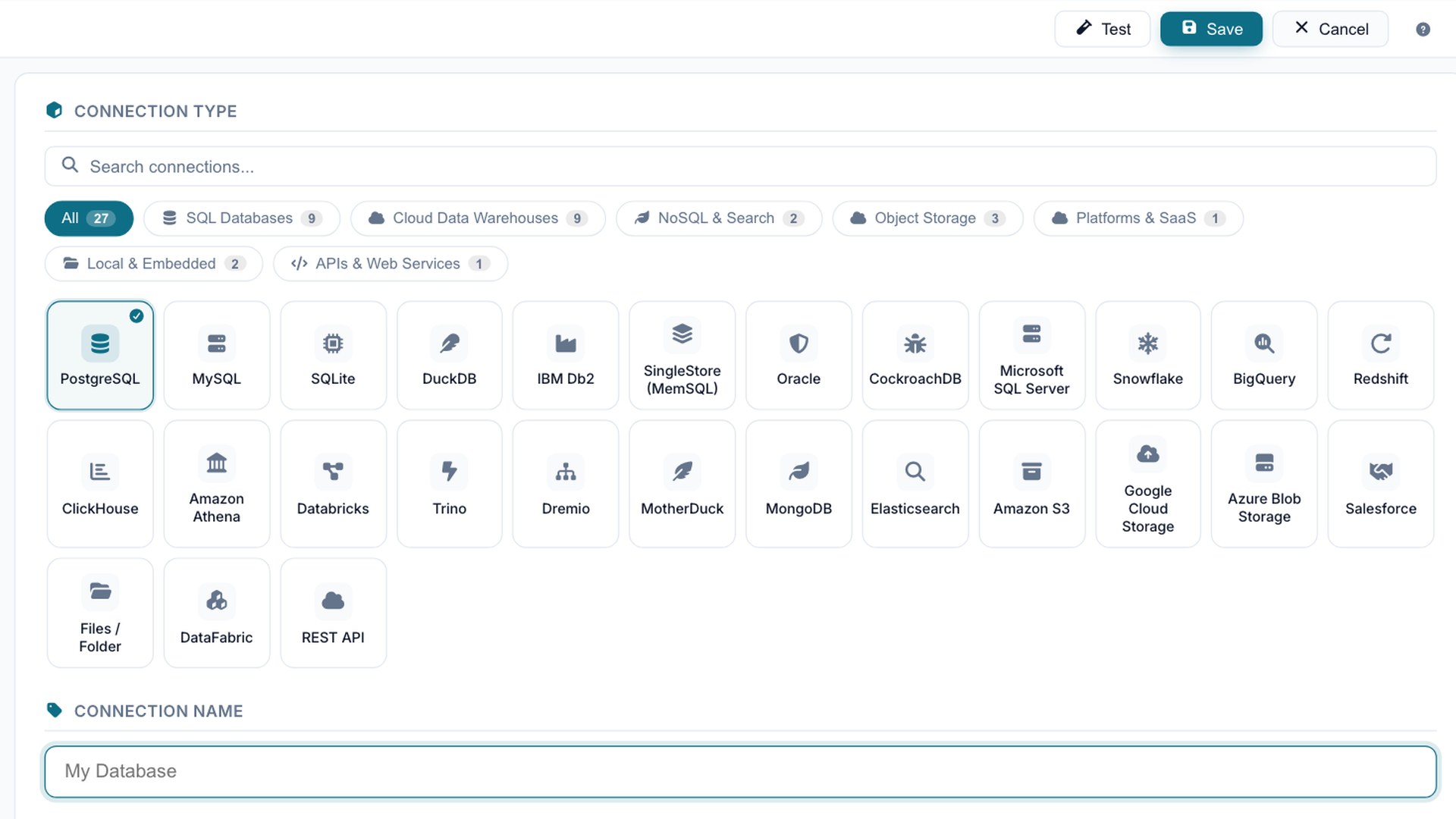
Saved, encrypted connections to the databases, warehouses, files and cloud stores you already run. Test a connection in one click.
What you can do
Data pipelines, in practice.
Databases, spreadsheets, files and business systems, on your servers or in your cloud.
Each join, filter and fix is a visible step with a preview of the rows.
Catch missing, duplicate or out-of-range values before they reach a report.
Schedule refreshes and get told when something fails.
A typical day
Sales from the ERP, collections from accounting and targets from a spreadsheet land in one table every night at 2:00.
Questions
Data pipelines, answered.
Which systems can it connect to?
Any database, ERP, accounting or CRM system, files and REST APIs. Business One and Tally via export files.
Do I need a data engineer?
No for the day-to-day. Pipelines are visual, with a preview at each step. We set up the first ones with you.
Will reporting slow down my ERP?
No. Data is copied on a schedule and reports run on the copy.
What happens when a refresh fails?
The owner is told, with the step that failed, before anyone reads a wrong report.
Where does the data live?
On your servers or in your cloud. Nothing leaves unless you decide.
Connect the data. Understand the business. Act with confidence.
Hand us your data on Monday. Decide better by Thursday. No six-month project, no slideware.